Home / Tracking
Shipment trackingTrack your freight in one place
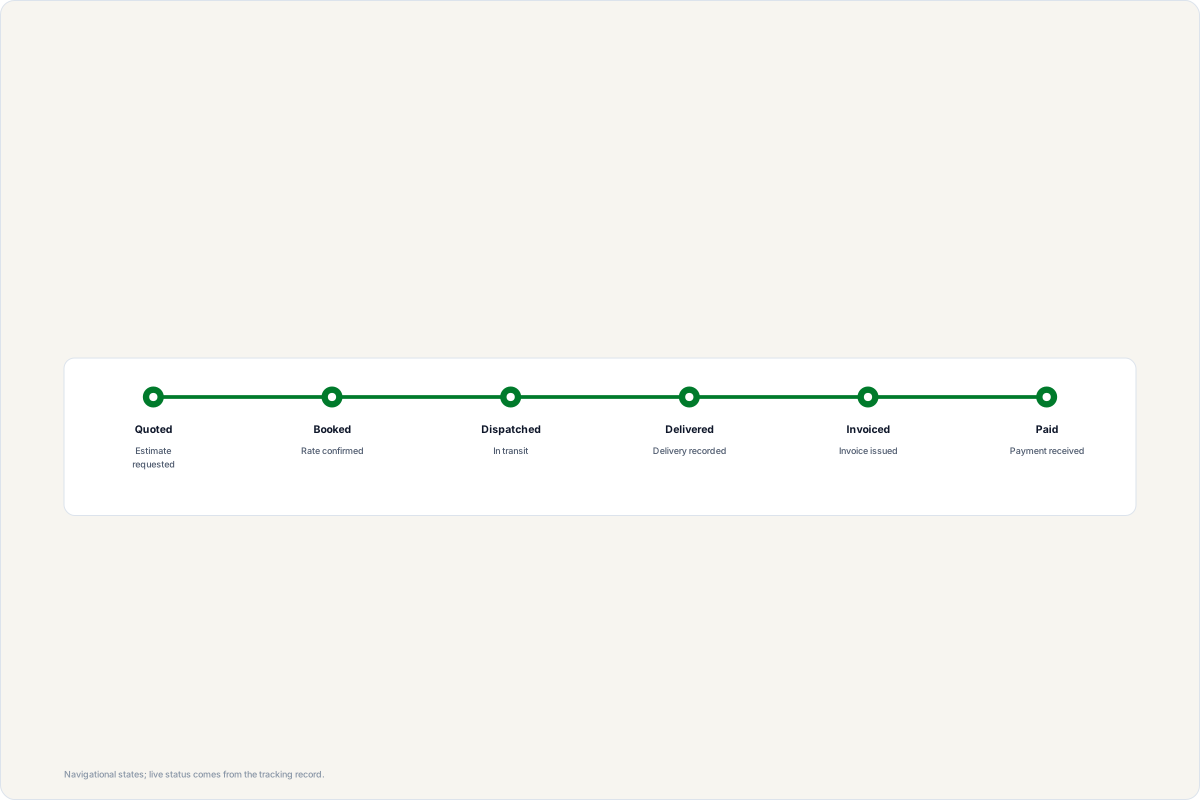
Enter the load ID from your booking confirmation, the quote number from your quote, the invoice number, or the private token from any email we sent you. The result page shows the status timeline, documents and the invoice when it is issued.
Look up a shipment
Load IDs look like PLL-20261108-0001. Quote numbers look like PLQ-20261108-0001. Invoice numbers look like INV-20261108-0001.
Tracking is per record and token-based; we never list shipments or customer records on this page. Lost the email? Use your account or email [email protected].
Status timeline
Empty state is normal
If a lookup does not resolve, the record may be under a different email or the token may be incomplete. Nothing about your account is revealed by a failed lookup — contact dispatch with the quote or load number and we will resend the correct record links.
Where to read next
- Freight claims walkthrough: damaged or lost freight — what to do when a delivery arrives damaged or short, and why the evidence created at delivery decides the outcome
- Carrier insurance verification: what to check before you tender — the authority, auto-liability and cargo-coverage document check — the coverage that responds first if freight is lost in transit
- What a rate confirmation should name — why a confirmation that states only a number is a quote rather than a tender, and what should be on it before pickup